
Student Management
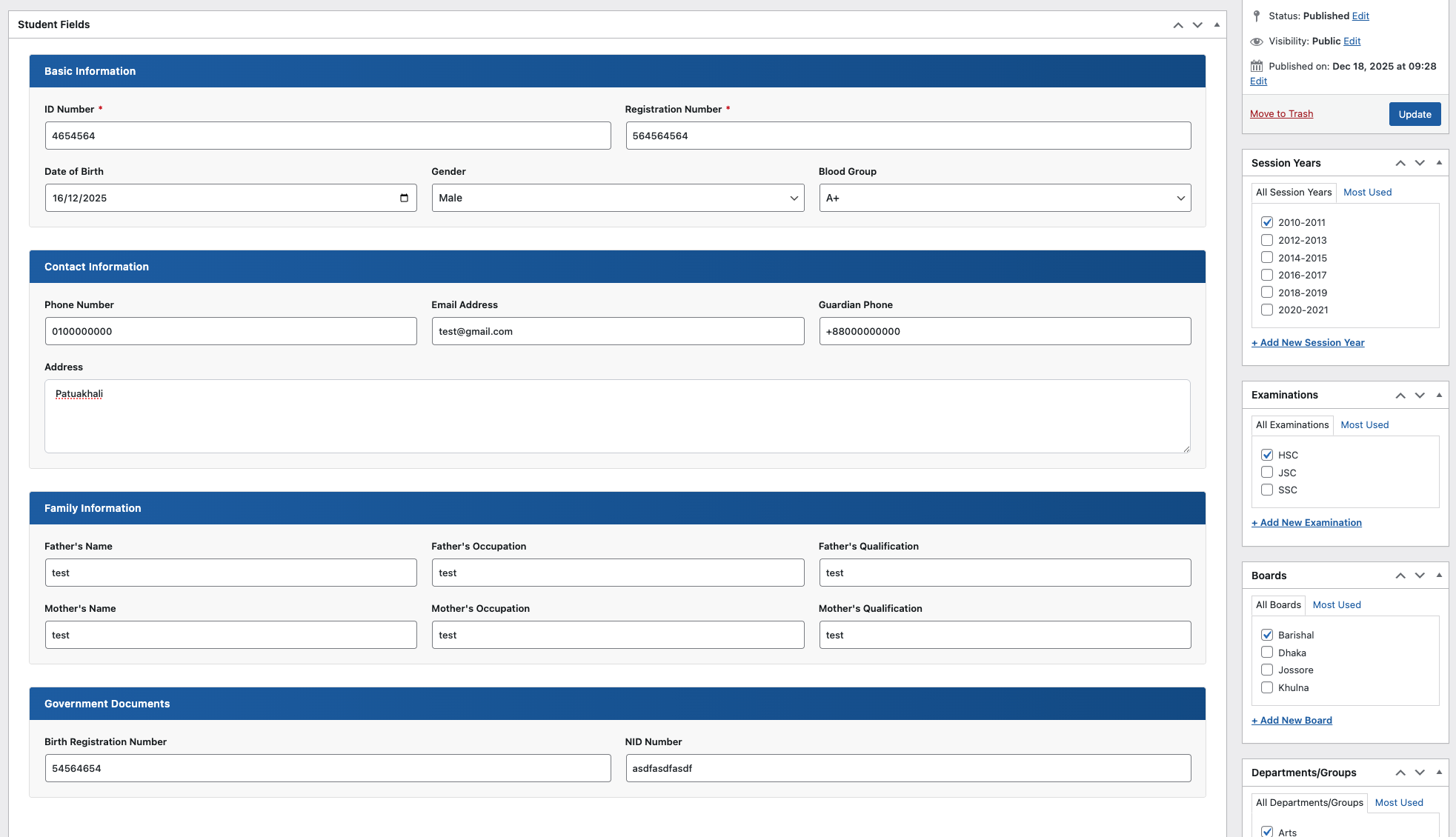
Create student profiles with ID, registration number, date of birth, contact details, guardian information, and government document fields.
EDU Results Publishing helps schools, colleges, coaching centers, and education websites manage student records, organize examinations, publish marksheets, and let students search results from the frontend.
The plugin combines structured admin management with a polished student-facing search and printable result output.
Create student profiles with ID, registration number, date of birth, contact details, guardian information, and government document fields.
Add roll, registration, status, GPA, GPA without additional subject, student type, and subject-wise marks or grades.
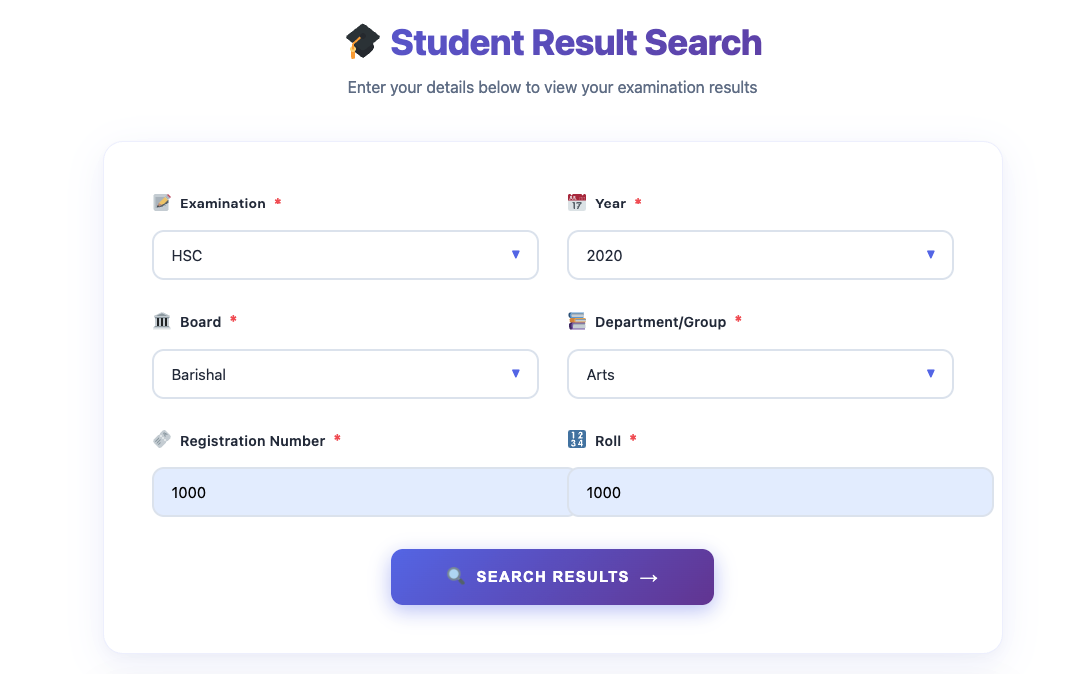
Students can search results using examination, year, board, department/group, registration number, and roll number.
Maintain subjects with codes so results can show organized subject names, subject codes, marks, grades, and GPA columns.
Organize data by session years, examinations, boards, and departments/groups directly from the WordPress admin interface.
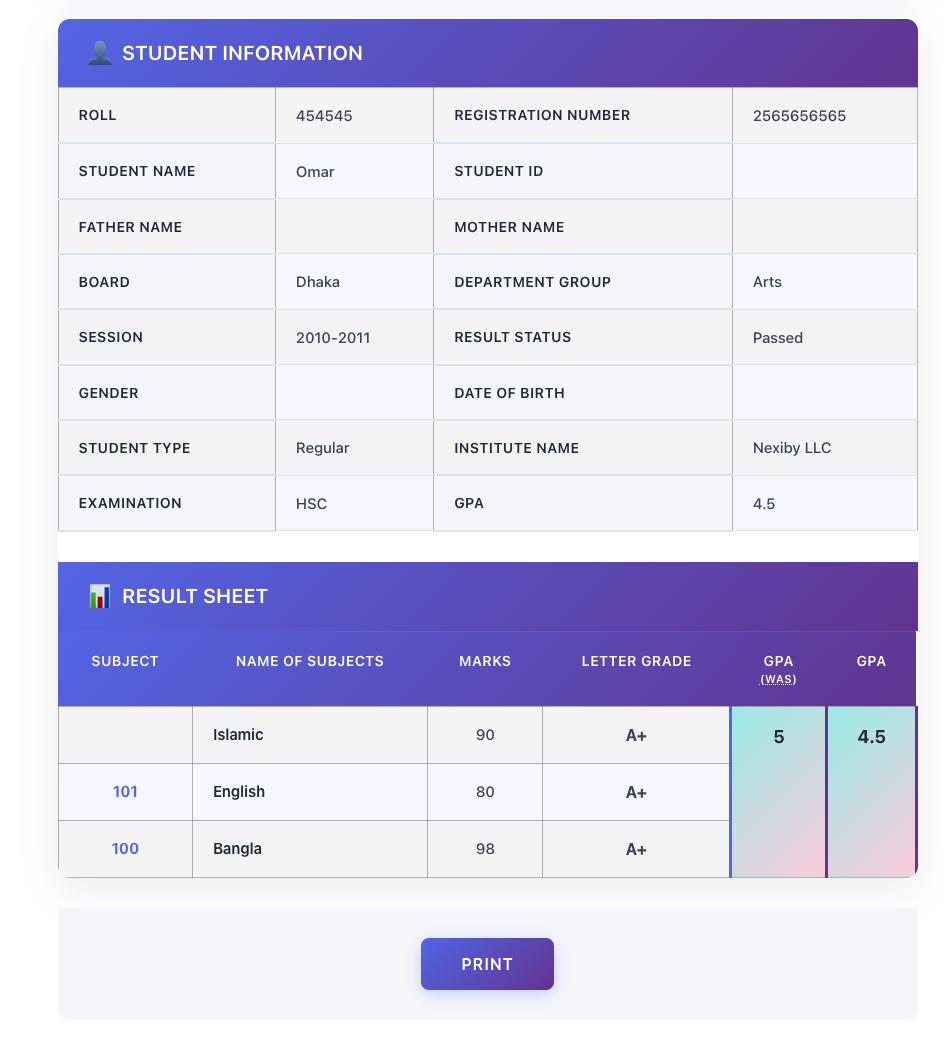
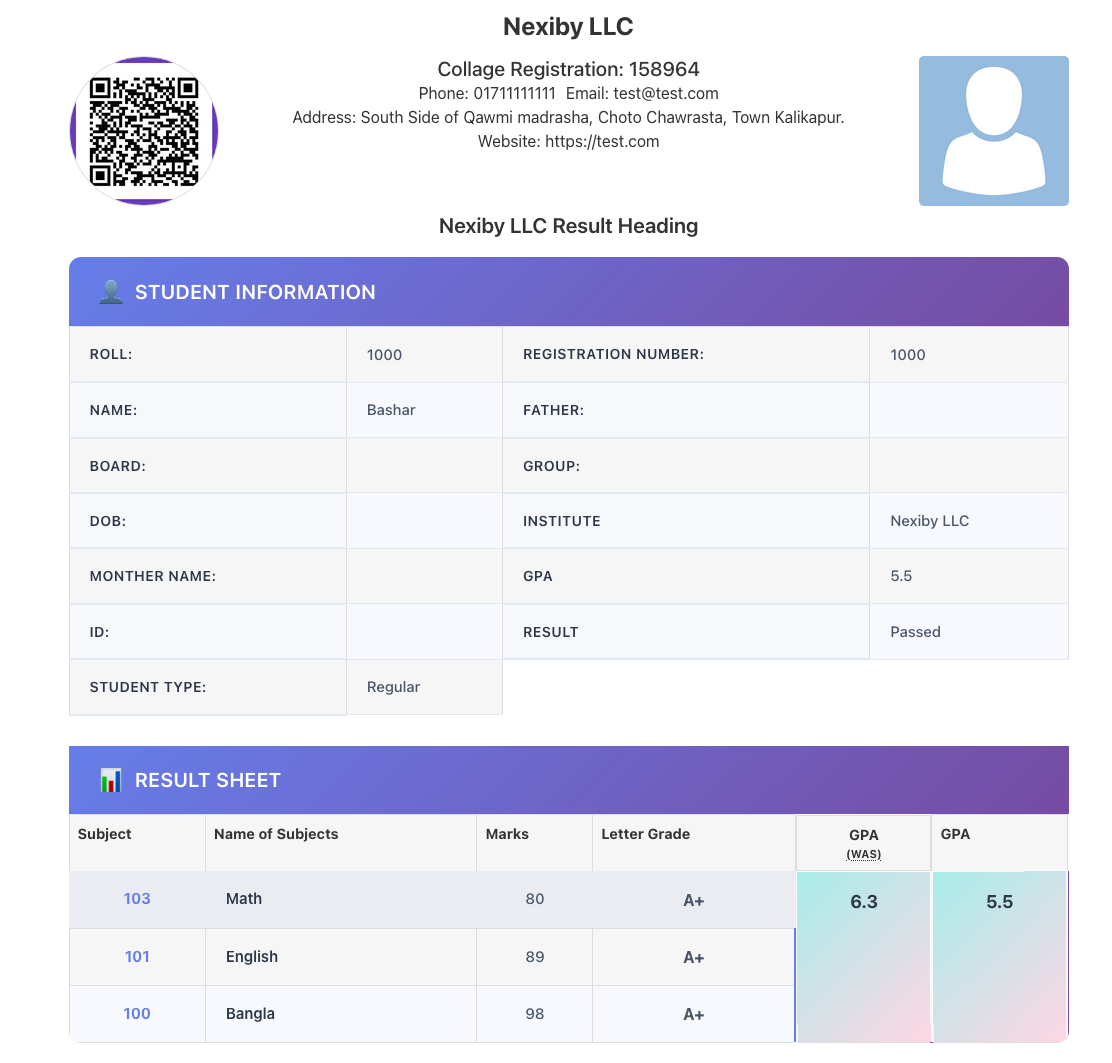
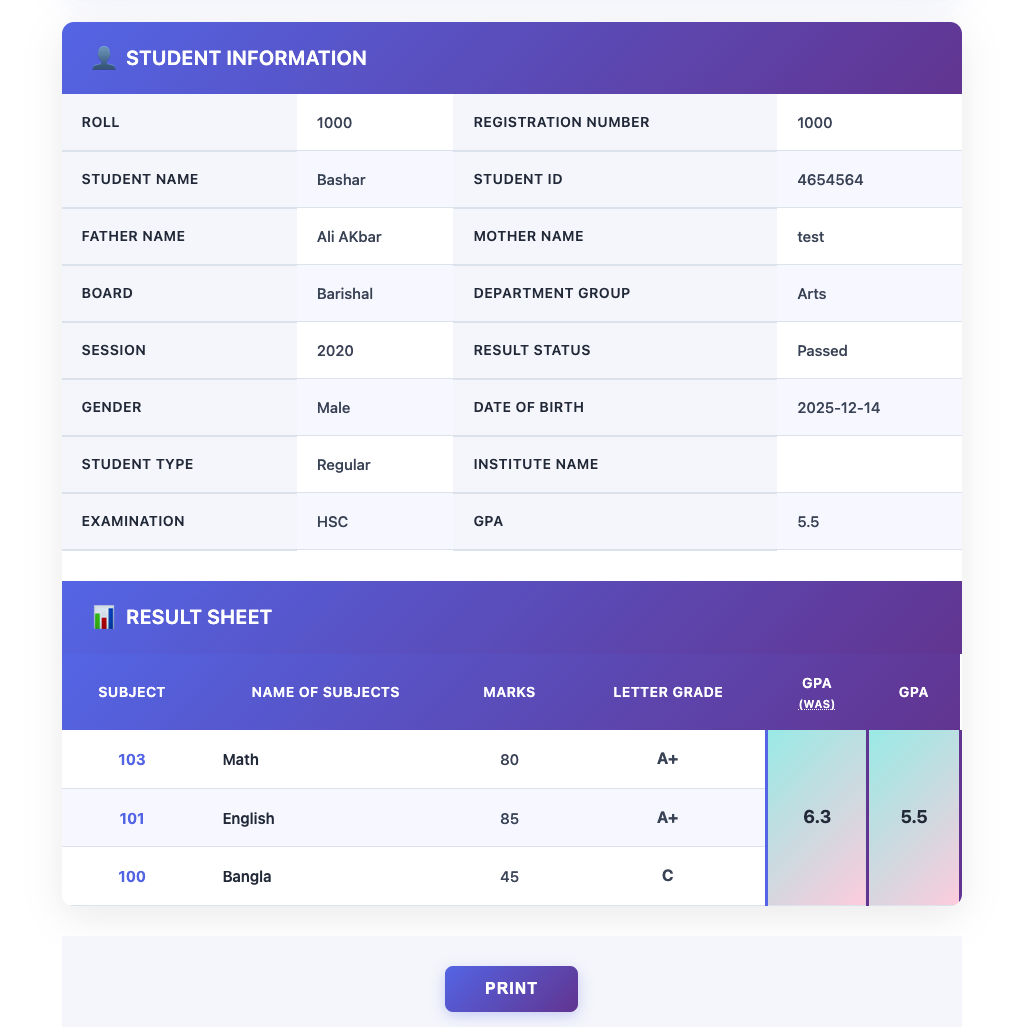
Display a clean result sheet with student information, institution details, subject rows, GPA values, and a print button.
Set up your institution identity, organize academic terms, add student records, publish results, and place the search form on any WordPress page.
Add institution logo, name, registration number, established year, heading, contact information, and identity settings.
Add examinations, boards, session years, departments or groups, and subjects with subject codes.
Create student records, then publish results with subject-wise marks and GPA details.
Insert the shortcode on a page so students can search and print their results from the frontend.
A modern form guides students through the exact fields required to find their result, then displays a structured marksheet.
Browse key frontend and WordPress admin screens. Click any screenshot to open a larger preview.
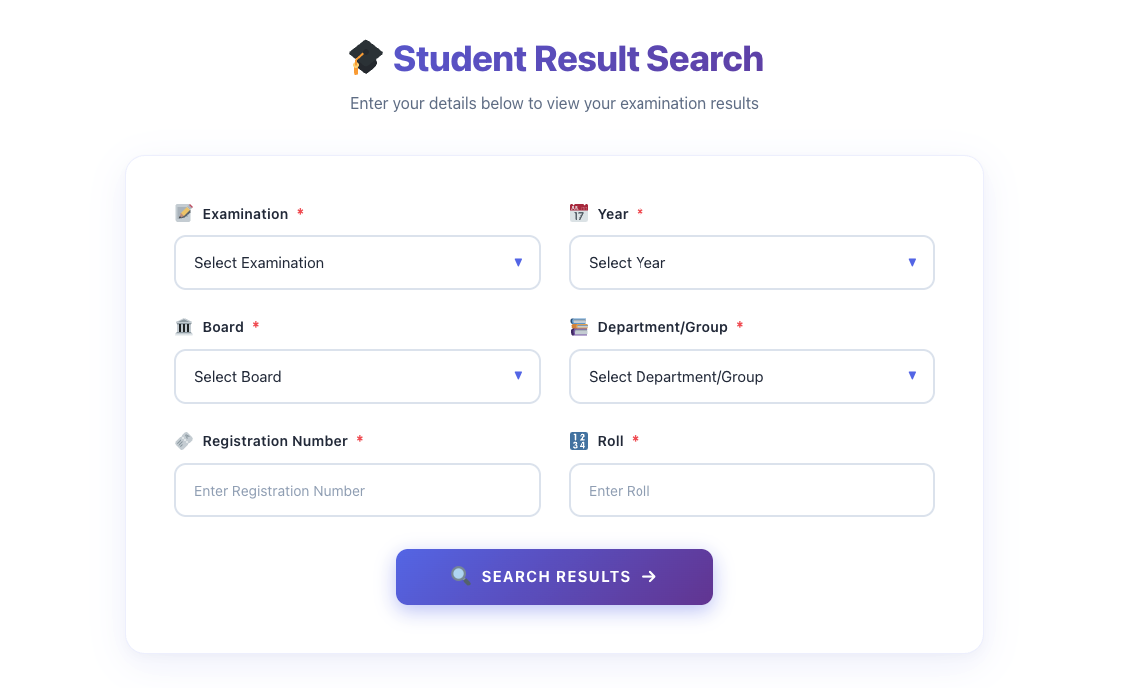
Frontend form for selecting examination, year, board, group, registration, and roll.
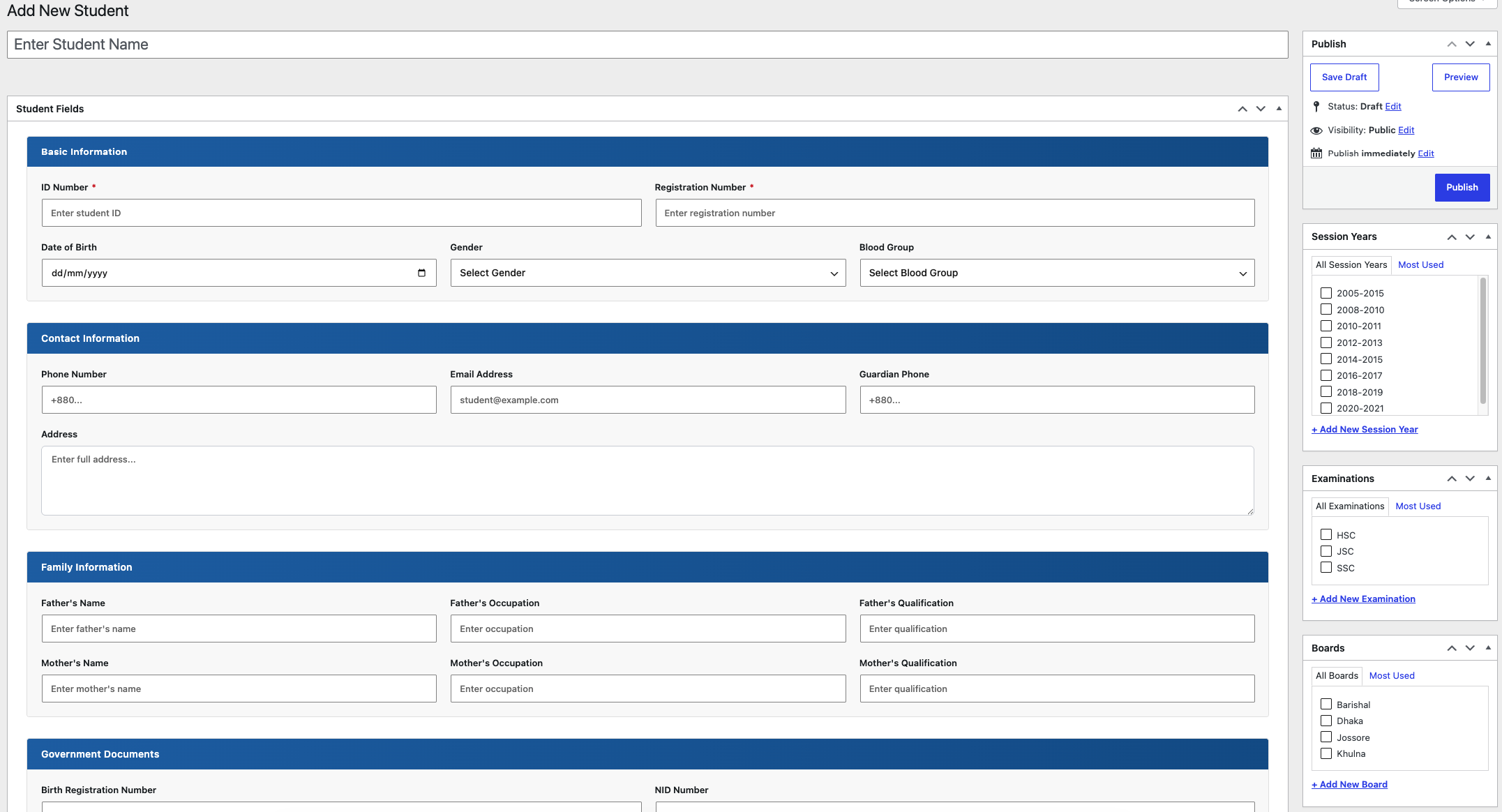
Structured student fields with basic, contact, family, and document information.
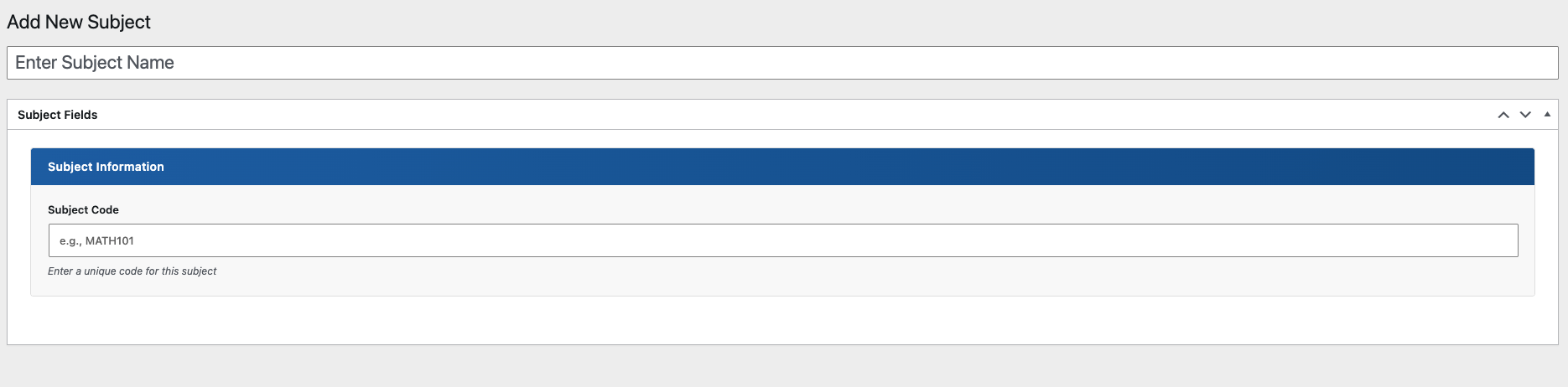
Create subjects with a unique subject code for organized result sheets.
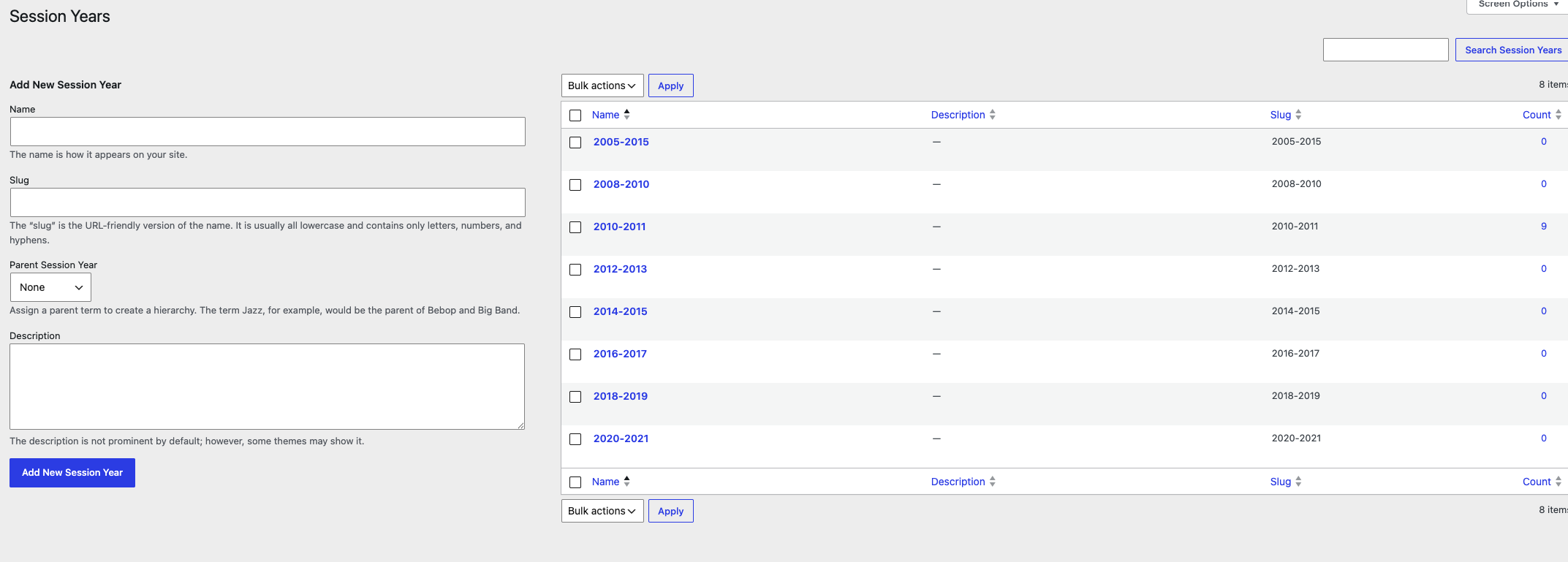
Manage academic years and assign them to student and result records.
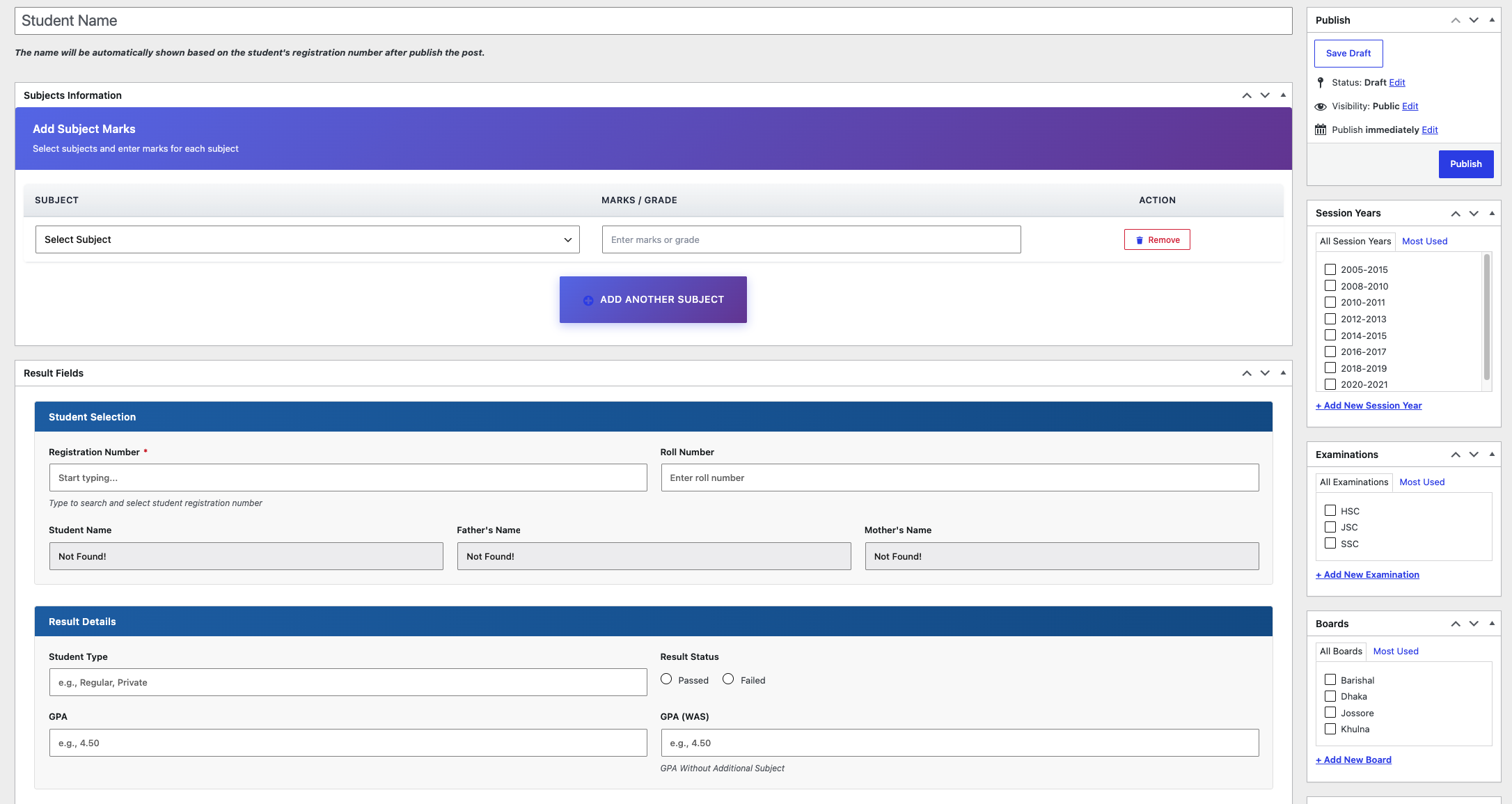
Add subject marks, select student registration, and define result status and GPA.
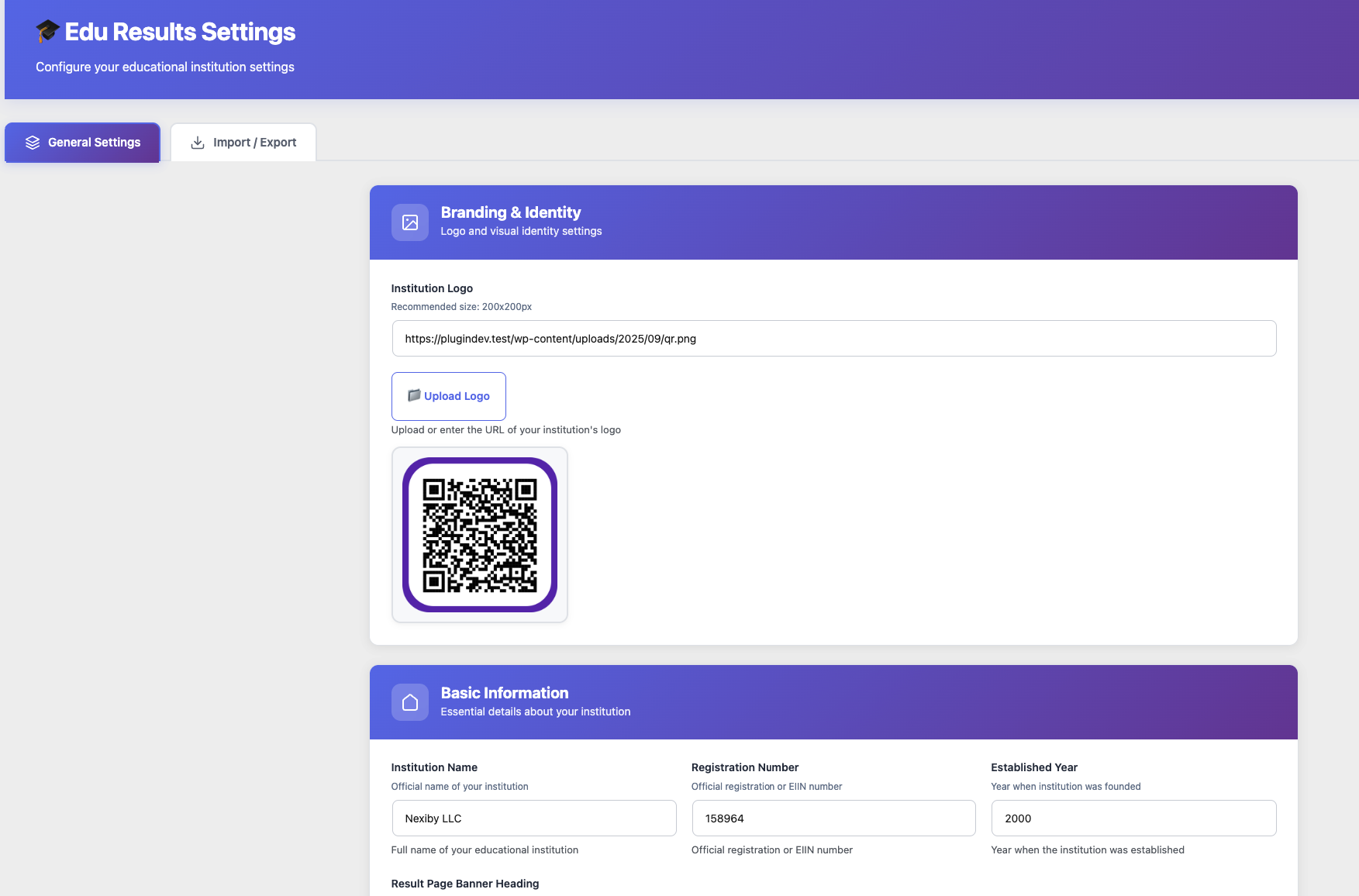
Configure institution branding and identity from a dedicated settings screen.
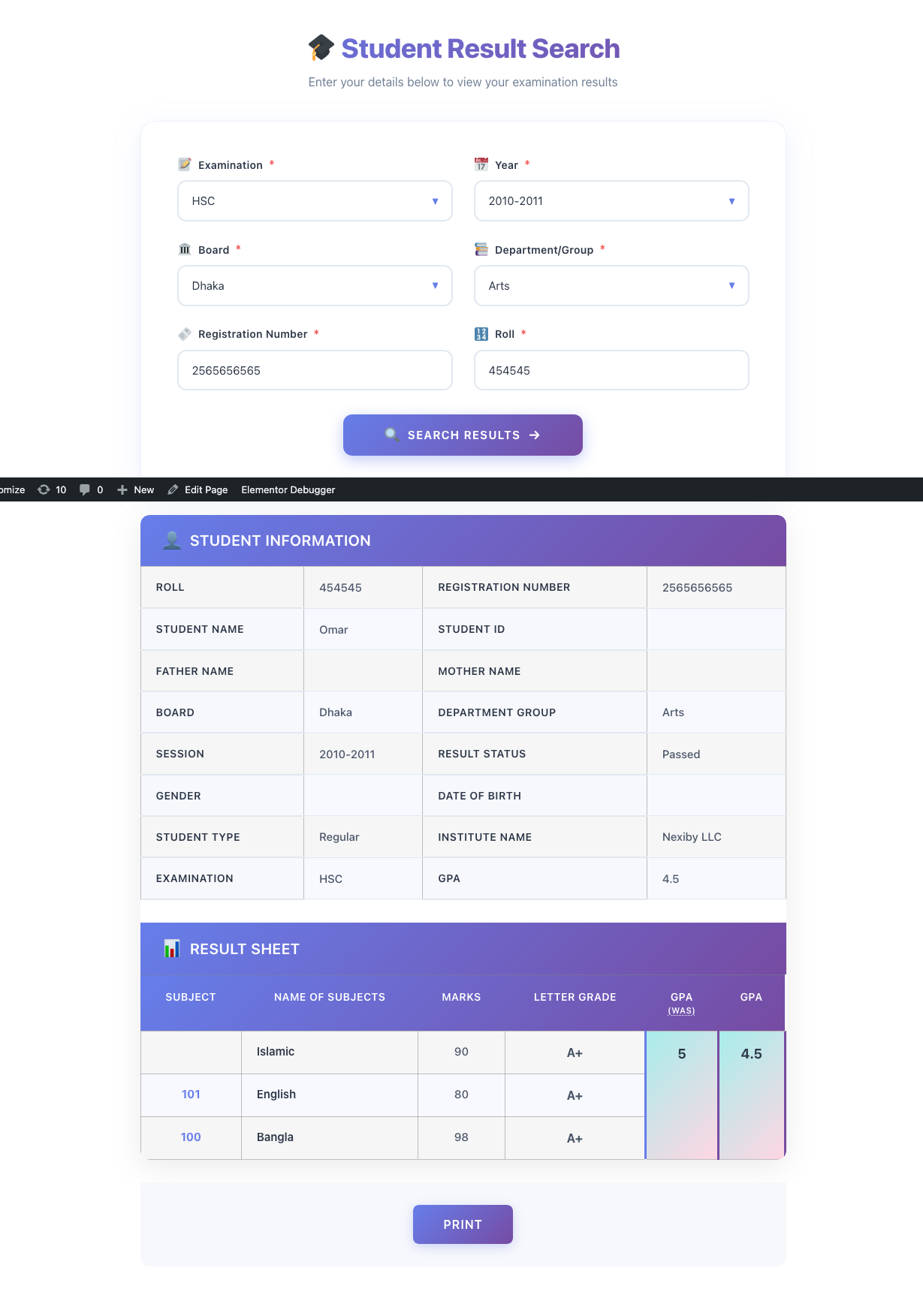
Student information and subject results displayed in a clean printable layout.
Complete frontend flow from search input to visible result sheet.
Result sheet with institution logo, photo area, heading, and contact details.
Example search fields filled with academic data before searching.
Final result view with student details, marks, grades, GPA, and print action.
This documentation section explains what the plugin does, how to set it up, how to publish results, and where developers can find the source code or report issues.
EDU Results Publishing is built for education websites that need a WordPress-native way to manage students, subjects, exams, boards, session years, departments/groups, and searchable result sheets.
Add the result search interface to any WordPress page or post using the plugin shortcode. Confirm the exact shortcode from the plugin readme/source before publishing final public documentation.
[edu_result_search]The frontend form supports examination, year/session, board, department/group, registration number, and roll number fields.
The plugin is organized around WordPress admin content and taxonomies so data can be managed with familiar dashboard screens.
Use the GitHub repository for source code, issue tracking, and contribution work. Use WordPress.org for the public plugin download page.
Download the plugin from WordPress.org, review the source on GitHub, or open an issue when you need support.
Official places for users and developers:
WordPress Admin → Plugins → Add New → EDU Results Publishing
Install EDU Results Publishing, configure your institution, add student records and results, then publish a searchable result page in WordPress.